 Ask AI
Assets release notes: May 5, 2026
Last updated: May-05-2026
Announcements
AI Agents
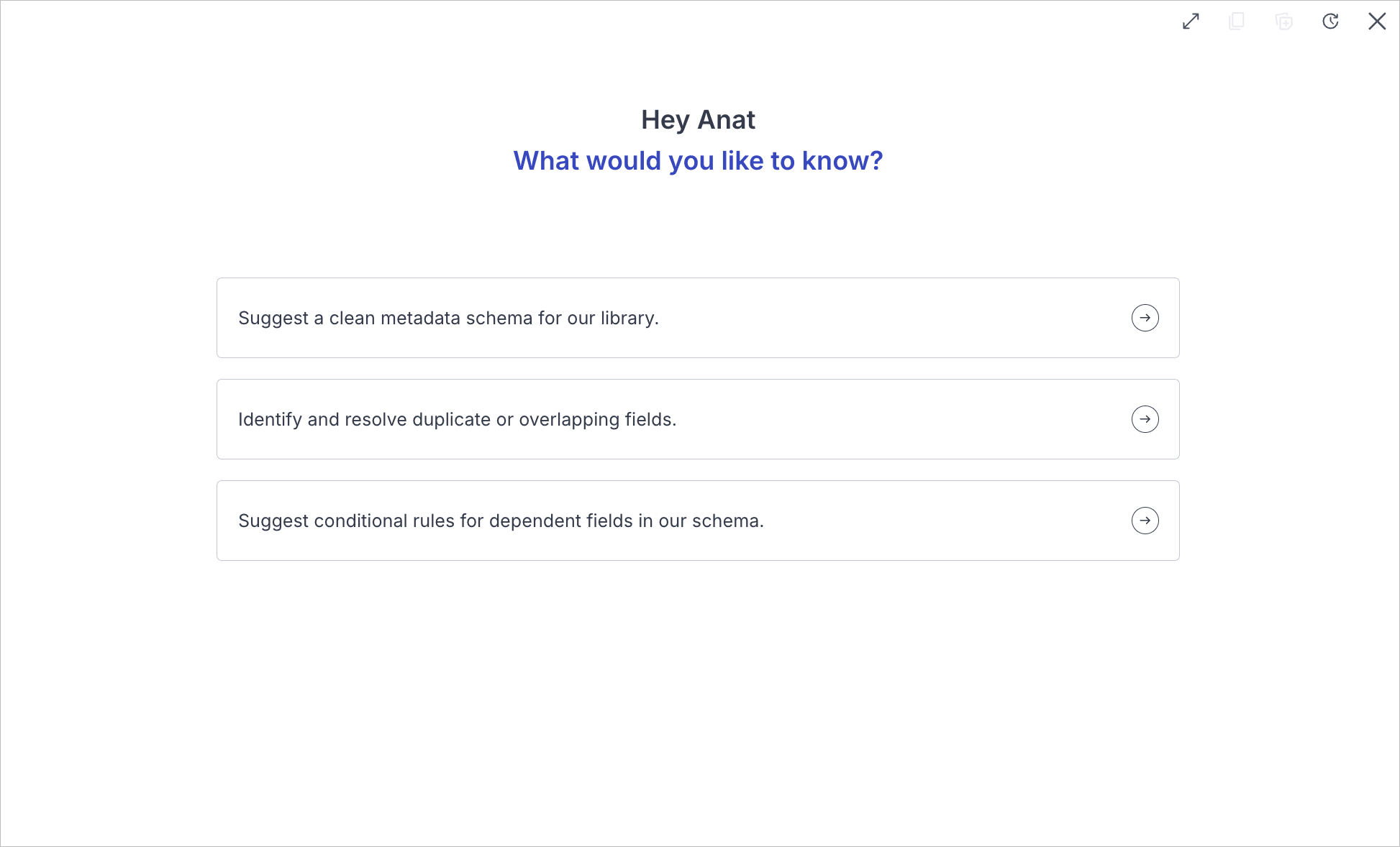
Cloudinary is rolling out a suite of AI-powered agents, purpose-built for enterprise-scale visual media management and brand governance. Each agent is designed for the high-volume challenges enterprise teams face every day in areas such as automating metadata work, natural-language discovery, governed workflow automation, and content moderation.
The agents interpret what you ask for, propose intelligent solutions grounded in your product context, and take multi-step action to carry them through, so teams gain productivity well beyond one-off AI features.
Agents are built on Model Context Protocol (MCP) servers, so they can connect coherently across the Cloudinary capabilities, integrations, and partner tools you already use. An icon in the Console Options left sidebar will provide a central entry point for agents that ship in that experience, and API access for those surfaces is on the way for programmatic use from your apps and pipelines.
When that Console Options entry is available, you'll be able to choose a specialist or use automatic routing to the appropriate agent (Moderation Agent not included).
Available now
-
Workflow Agent: Helps teams build governed media workflow automations in MediaFlows with natural language prompts, so you can orchestrate outcomes from ingestion through distribution and across connected systems, without heavy technical configuration.
The Workflow Agent (previously known as Surfer) is available now in the MediaFlows Console.
-
Moderation Agent: Enforces brand standards on user-generated, partner, and marketplace content, reviewing assets against your guidelines and rules, and surfacing flags and decisions so teams spend less time in the review queue.
The Moderation Agent is available now in the Cloudinary Moderation product. See New features below: Cloudinary Moderation now generally available.
NoteThe Moderation Agent will remain only accessible from the Cloudinary Moderation product, not from the unified Console Options AI Agents entry.
Rolling out
- Taxonomy Agent: Helps build and maintain context-aware taxonomy as libraries grow, so inconsistent tagging, outdated structures, and manual classification create less friction for downstream workflows and discovery.
-
Search Agent: Uses natural language so you can ask for the assets you need based on intent, instead of navigating deep folder trees or manually selecting filters. Returns assets that match context, not only keywords. For Enterprise customers with Visual Search, search can also consider how assets look, not just metadata text.
Enterprise customers who have Visual Search will also be able to open the Search Agent from the search toggle on the Assets page in the Console.


Roles and Permissions
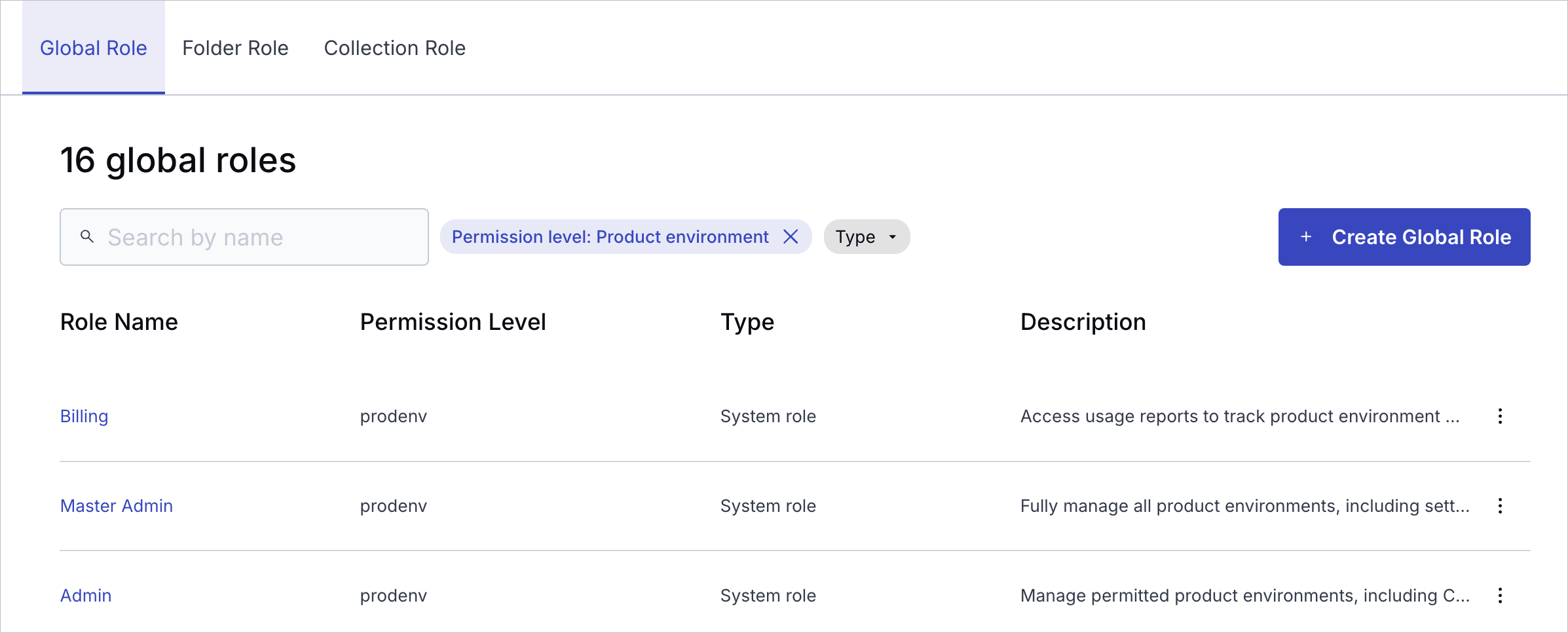
Cloudinary is introducing a modern, unified Roles and Permissions, a foundational upgrade to how access is managed across your account. This new model delivers clear, structured, and granular access control across both the Console and APIs, with a consistent, role-based approach designed to support teams, automation, and enterprise-scale governance.
What you gain
- Structured access at scale: Assign global, folder, and collection roles where teams actually work, enabling granular control over all types of system users.
- Granular and flexible permissions: Combine predefined system roles with custom roles (Enterprise plans only) to match your organization’s exact workflows and access needs.
- Safer automation: Provision API keys tied to roles so services, CI jobs, and integrations only receive the permissions they need.
- Improved visibility and control: Clearly understand who has access to what, and manage permissions consistently across your account in a way that's easy to review.
Rollout status
- Since February 2026, the new system has been rolling out to new free Cloudinary accounts. Check if your account has been migrated.
- Starting May 4, 2026, all new free Cloudinary accounts use the new Roles and Permissions system.
- Migration for existing free and paid accounts starts May 12, 2026.
- Broad Enterprise migration hasn't started yet. If your team hasn't already been moved with Cloudinary's help, you're still on the legacy system.
New features
Cloudinary employee access restrictions
You can now control what Cloudinary Support employees can access in your product environment from the Security page of the Console Settings. This helps protect your data privacy while still enabling support when needed.
Two modes are available:
-
Controlled visibility mode: Prevents Cloudinary employees from accessing the product environment's full API secret, delivery URLs, asset thumbnails and previews, search results, the Bulk Delete option, and actual public IDs, folder names, collection names, or structured metadata values. Admins can grant temporary access (1 day, 1 week, or 1 month) when support is needed.
Automatically enabled for all free accounts and self-serve accounts created after May 2025. Enterprise accounts can request this mode.
-
No access mode: Provides no product environment access at all to Cloudinary employees (which may make it impossible for Cloudinary to troubleshoot certain account-specific issues).
Available to Enterprise accounts by request.
Cloudinary Moderation now generally available
Cloudinary Moderation, our AI-based product for keeping visual content on-brand, high-quality, and consistent at scale, is now generally available.
Cloudinary Moderation uses AI tailored to your visual guidelines to validate assets for brand consistency, quality, and compliance. It functions like a dedicated brand reviewer, ensuring every asset meets your standards before it goes live. By automating what used to be a time-consuming manual task, it creates a scalable, reliable guardrail for teams handling high-volume content across marketing, marketplaces, and UGC flows.
Azure Blob Storage backup support
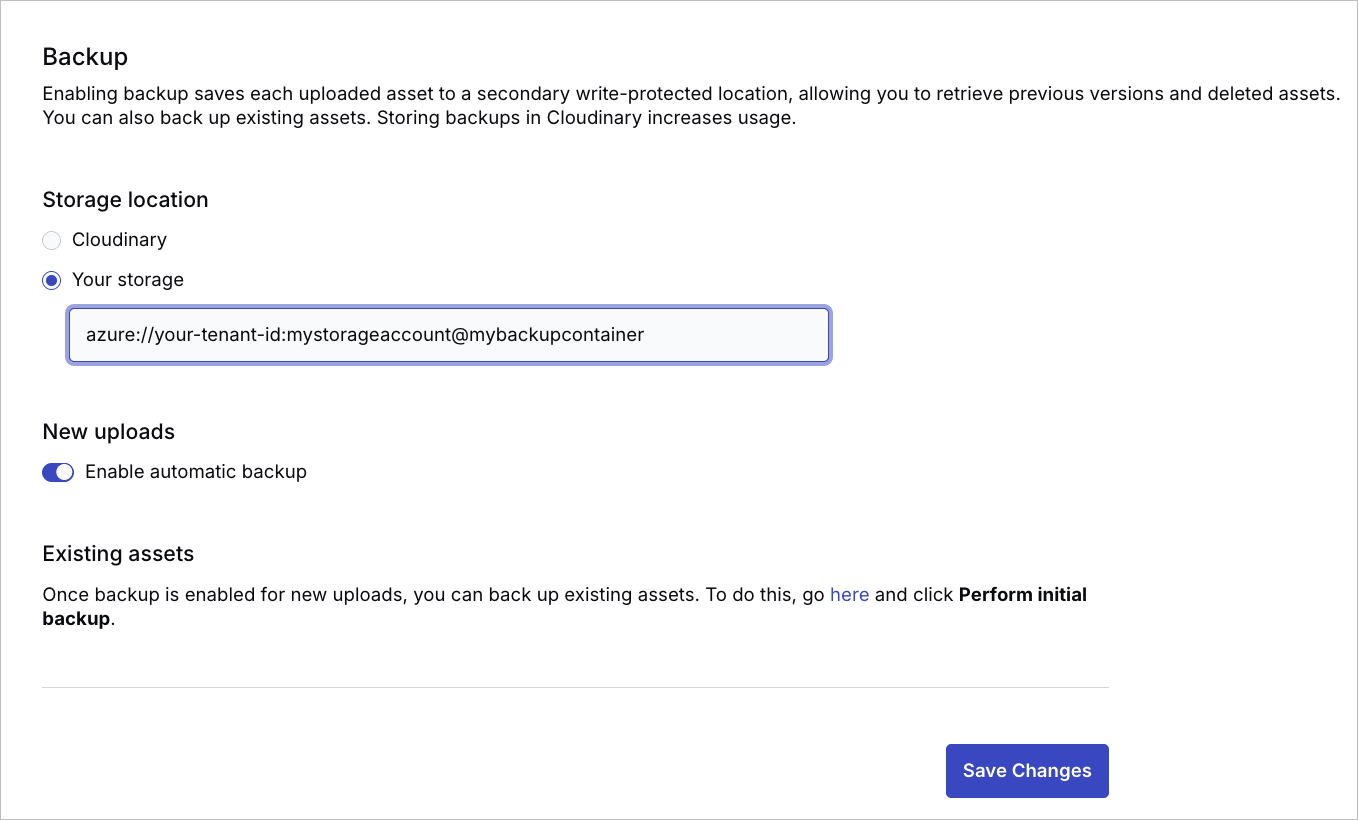
You can now back up your Cloudinary assets to a private Azure Blob Storage container. Azure Blob Storage joins Amazon S3 and Google Cloud Storage as supported backup destinations for paid accounts.
To set up Azure Blob Storage as your backup location, configure admin consent for Cloudinary's service principal, assign the required RBAC roles, and enter your Azure URI in the Backup page of the Console Settings.
Enhancements
Visual Search: reference image by upload
Visual Search now lets you choose the image to match against your catalog by uploading a file from your computer or device, in addition to pasting an image URL or starting from an asset already in the Media Library. In the Search by Image dialog, drag an image into the upload area or use Upload a file (up to 40 MB), or paste a URL in the same dialog.

Assets grid performance improvements
Scrolling through the Assets grid is now noticeably smoother, with more fluid infinite scroll and more responsive checkbox interactions when selecting assets. Customers with large asset libraries will benefit most from these improvements.
Version History enhancements
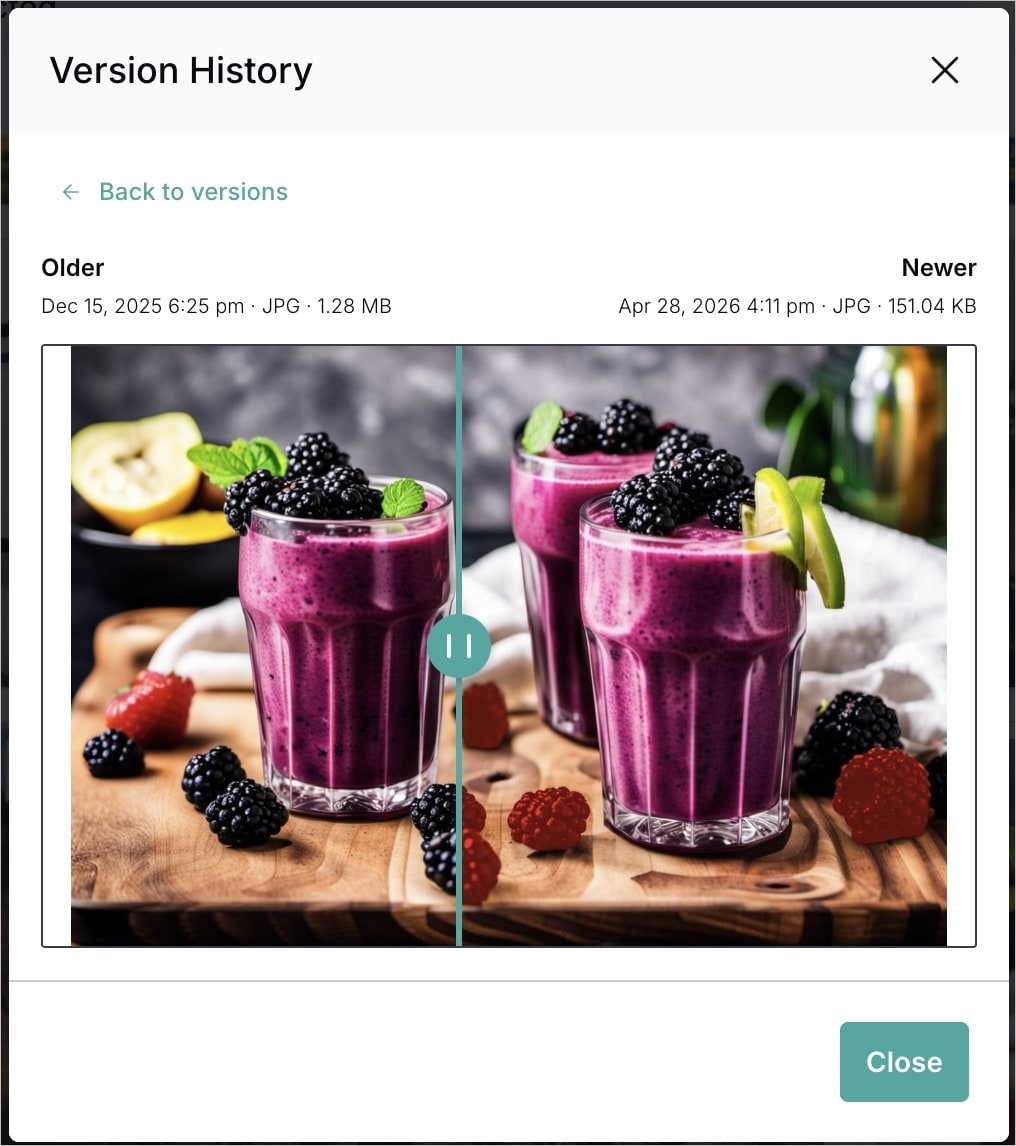
Version History now shows a version-specific thumbnail next to each entry, making it easy to visually identify versions at a glance.
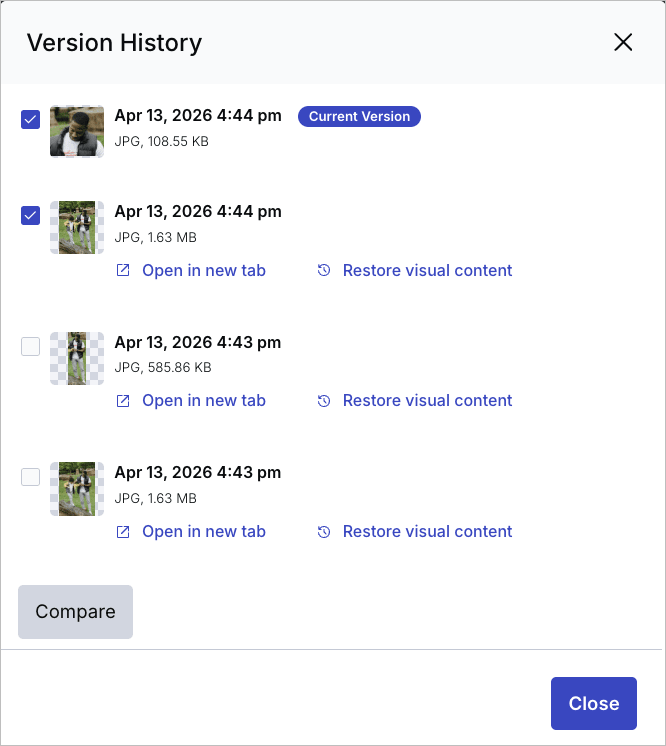
You can also compare any two versions side by side: select two versions and click Compare to open a comparison view with a vertical slider.
Expanded view for structured metadata text fields
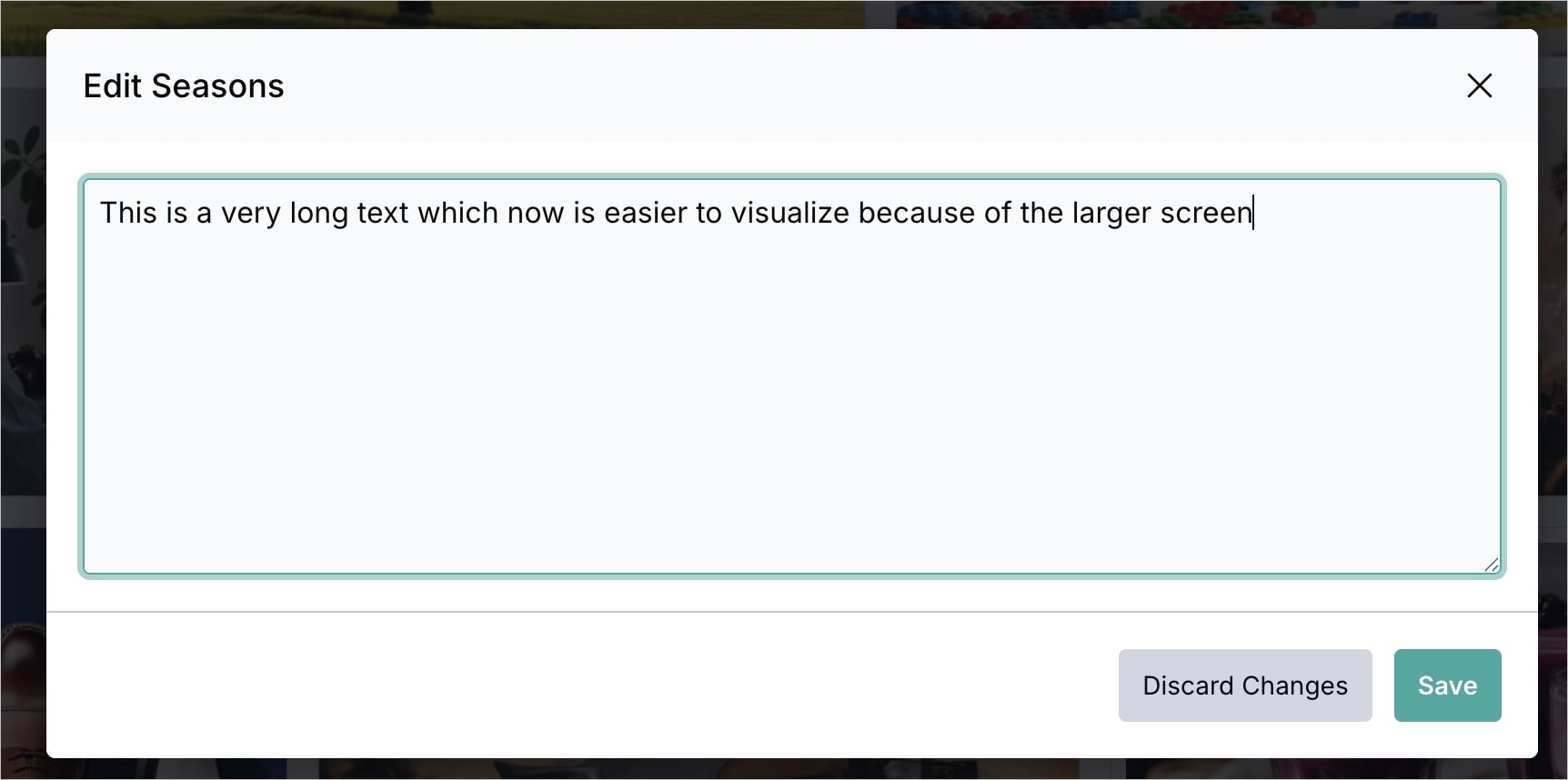
Text-type structured metadata fields include an expand control in the Preview pane and Manage page. It opens a larger editing view and lets you set the format to plain text or Markdown.
Add to Collection dialog improvements
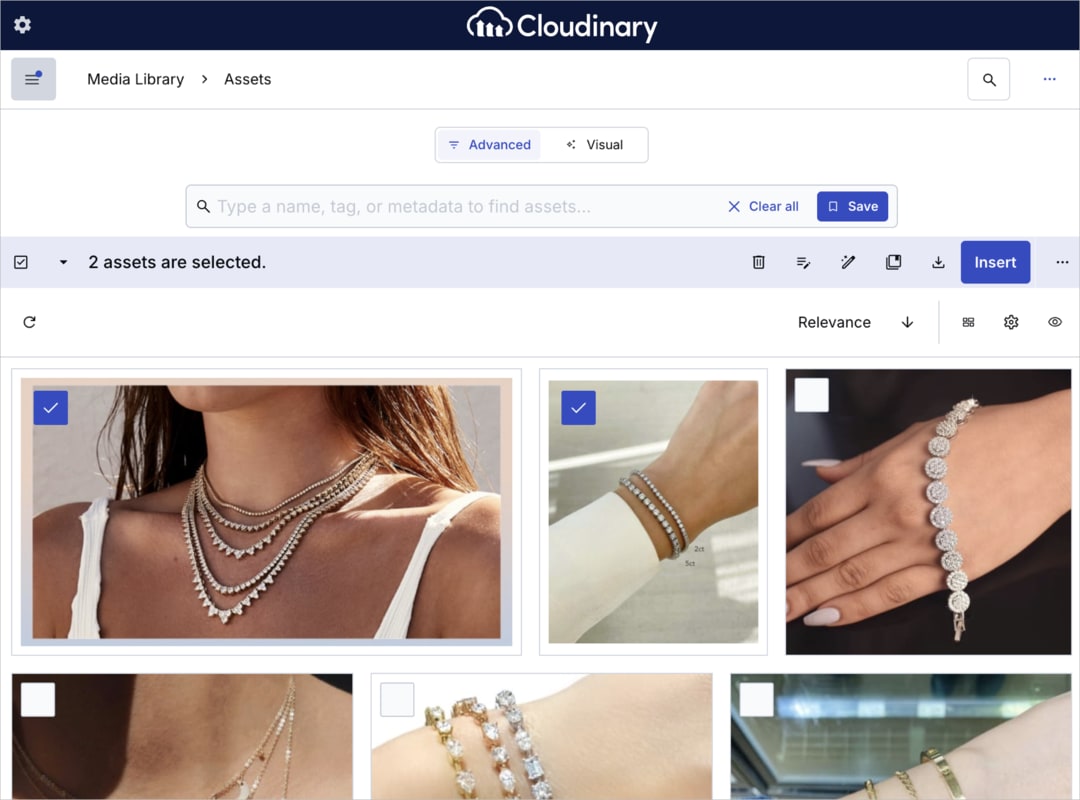
When adding assets to a collection, the Add to Collection dialog now shows a thumbnail for each collection, making it easier to identify the right one at a glance. Shared collections display a share icon, so you can quickly distinguish them from unshared ones.

Multiline file names in Upload Widget grid views
File names in the Upload Widget's upload sources grid views now wrap across multiple lines, making long file names fully visible without truncation. This applies to all file types. Note that folder names are not affected.

Creative Approval API
You can now control creative approval flows and proofs programmatically using the Creative Approval API. The API enables you to automate review workflows by creating proofs, managing reviewers, and defining approval flows with multiple review stages. Comprehensive reference documentation is available, including detailed endpoint descriptions, request/response schemas, and examples.
No API key required for Media Library widget
When developing an integration using the Media Library widget, requiring an API key for authentication is optional. Developers can include it for improved security and validation, but it's no longer necessary. This means you no longer need to authenticate using an API key when using the Media Library widget within your CMS, PIM, or other applications. Simply authenticate with your Cloud Name to access and select your media assets.
Figma integration enhancements
Improved error notifications: Plugin operations now surface clearer, more actionable error messages.
Support for large asset uploads: Improved handling of large assets during upload, with added data-fetching redundancy for better reliability across cloud configurations.
Dark mode, folder selector, and session improvements: Better visual consistency in dark mode, inline folder creation in the folder selector, and more reliable session management with token refresh.
Export layer selection: In the Export tab, select the layer you want to export by choosing it directly from the Figma canvas or by typing part of the layer name — making it faster to find and export the right layers in complex designs.
Auto Layout Hug support in Automate: The Automate module now supports Figma Auto Layout Hug sizing. Elements like buttons that automatically resize based on their content are accurately represented in the resulting dynamic template with no extra configuration required.
Target Layer Picker: Select the exact location for placing assets in your design, with support for inserting multiple assets at once. The plugin automatically selects layers where possible.
Enhanced search experience
The Advanced Search interface has been refreshed so asset discovery feels more intuitive overall. Navigation is easier to follow, saved searches are simpler to find when you need them again, and clearing filters is quicker when you want a clean slate and a fresh query. The free-text field is more comfortable for open-ended searches. For accounts with Visual Search enabled, search by image is available from every entry point, so you can start a visual similarity search from wherever you are in the search experience.

Account management
Opt in to receive billing documents via email
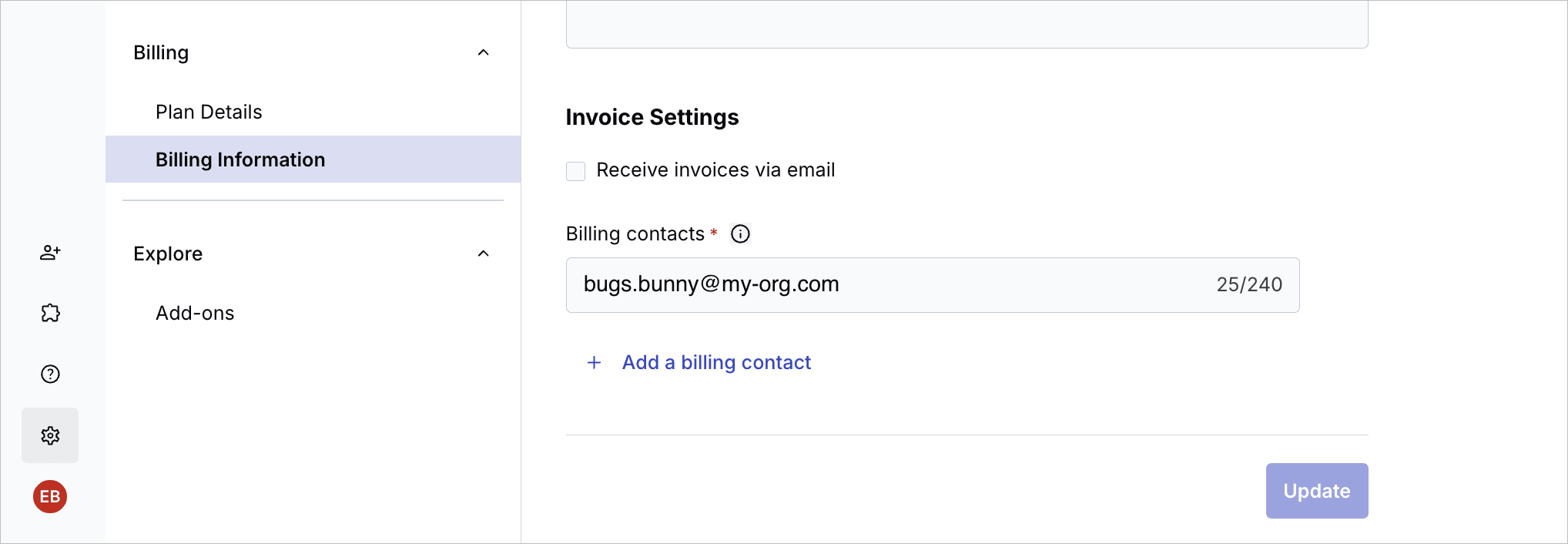
For self-service customers using automated payments (Credit Card, Google Pay, or Apple Pay), Cloudinary no longer sends billing documents—including invoices, receipts, and credit memos—by email by default. All documents remain available for download in the Console.
To receive billing documents via email, opt in from the Billing Information page in the Console.
- Customers who pay by bank transfer always receive invoices via email, regardless of this setting.
- Existing customers continue to receive billing documents by email until they opt out.
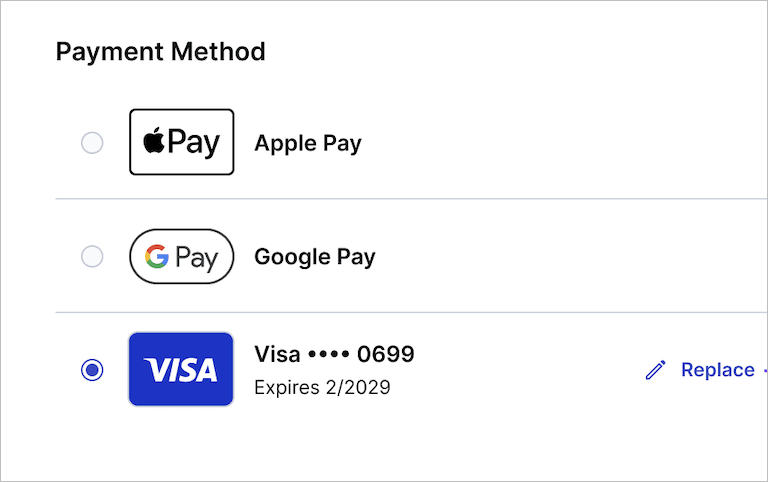
Apple Pay and Google Pay support for plan upgrades
You can now use Apple Pay or Google Pay when upgrading your Cloudinary plan. Both payment methods are available in the Payment Method section of the self-service upgrade journey, alongside existing credit card options.
Bulk tag update via CSV
Bulk tag updates via CSV are on the way: import a CSV file to update many tags at once, similar to the existing bulk structured metadata update flow. A downloadable sample CSV template will be available from the Bulk Update Tags dialog.
Alphabetical ordering of structured metadata field values
Alphabetical sorting for single-select and multi-select structured metadata field values is coming. From the SMD Values page, select Sort These Values A-Z from the kebab menu. The sort order will persist and carry through everywhere the field's values appear (for example, in the Preview pane, Manage page, and upload flow). New values added dynamically will also appear in alphabetical order.

Error
Rate this page:
